Skip to content

Integrations & APIs

ERP and API integrations in one data flow.

We connect your store, ERP, warehouse, accounting, payments and logistics, so data moves between them automatically.

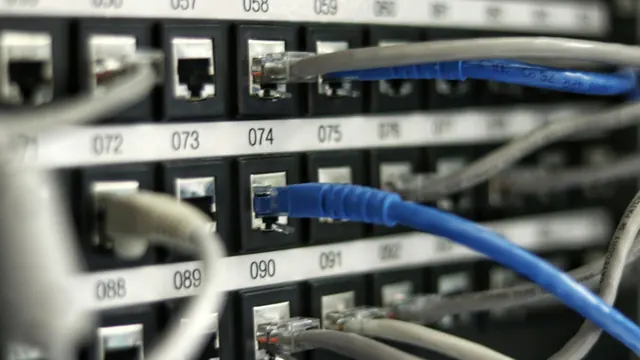
Blue and gray network cables plugged into numbered ports of a patch panel

Data moves between your store, ERP and carrier on its own, and your team gets back the hours it used to spend on manual data entry.

Overview

Data that matches in every system.

Most companies already have the data they need, spread across separate systems that don’t talk to each other. Stock levels live in one place, orders in another and invoices in a third, while someone reconciles the differences by hand in a spreadsheet. As order volume grows, this retyping takes more time every week and leaves more room for mistakes.

We build each integration as a durable connection that serves you for years: a defined flow for every field, a job queue with automatic retries, an event log and an alert when something needs attention. We connect systems the way they can actually be connected—through webhooks (automatic notifications sent the moment an event happens), existing APIs or file exchange. As a result, any mismatch between an order and its sales document shows up in a report the same day, so you can resolve it right away.
Two USB-C cables plugged into the side of a silver laptop on a light desk

REST and GraphQL

Data moves server to server over REST or GraphQL, so the connection runs reliably in the background.

HMAC signatures

We verify the HMAC signature of every incoming notification, so only authentic requests can change your data.

Queues and retries

When the other system is briefly unavailable, data waits in a queue and goes through as soon as it’s back.

Logs and alerts

You get an alert when a connection needs attention, so you can act before a customer notices.

What we connect most often.

Your store or app sits at the center, surrounded by the 6 groups of systems below. We connect them so each one gets the right data at the right moment and nobody has to retype it.

See our ecommerce services
  • ERP and warehouse (WMS)

    We connect your store to your ERP and warehouse management system, so products, prices and stock levels match everywhere, orders go to fulfillment automatically, and picking statuses and tracking numbers flow back without manual retyping.

  • Accounting and e-invoicing

    Invoices for paid orders, along with credit notes, are generated automatically and sent to your accounting system and to national e-invoicing systems such as Poland’s KSeF, so your documents stay current throughout the month.

  • Online payments

    We receive and verify payment notifications, handle refunds and adjustments, and block duplicate charges. You can test the entire payment flow in a separate sandbox first, while live sales continue as usual.

  • Shipping and returns

    We connect your store to parcel lockers and to standard and oversized-parcel carriers, so labels, shipment tracking, returns and claims all run from the order screen and your support team works in a single panel.

  • CRM and marketing

    We send events and customer profiles to your marketing tools, track them server-side (more reliably than in the browser) and manage customer consent, so your campaigns run on current data and comply with privacy law.

  • Reviews and wholesalers

    After each delivery, the integration sends customers a review invitation and publishes their ratings on the product page. It also pulls offers and availability from your wholesalers automatically, so your catalog stays up to date.

Results

What you gain once your systems connect.

Integration areas: what we connect and what you gain
AreaWhat we connectWhat you gain
InventoryStore and ERP or warehouse system: stock, prices, variantsYou sell only what’s actually on the shelf
OrdersStore and fulfillment system, with statuses and shipments flowing backYour team gets back the time spent retyping orders
PaymentsOnline payments, payment notifications, refunds and adjustmentsEvery payment is matched to its order, with zero duplicate charges
DocumentsInvoicing system, e-invoicing systems such as Poland’s KSeF, document deliveryInvoices are created automatically, and you close the month with nothing outstanding
LogisticsParcel lockers, oversized-parcel carriers, returns moduleLabels and tracking straight from the order, without logging in to a carrier panel
MarketingProduct feeds, marketing tools, server-side trackingCampaigns run on current product data

Field mapping

One source for every field.

We define where each piece of information comes from, so it matches everywhere.

Before we connect any systems, we assign every field a single source system. Does the price come from the ERP or from the store? Which system is allowed to change stock levels? Which record wins when both systems change the same value at the same time? These decisions keep your data consistent everywhere, so your team never has to fix it by hand later.

We record the answers in one table: every field, the direction of flow, the frequency and the rule that decides when two systems disagree. This table is the foundation of the build and the reference point whenever someone later asks where a value came from, so you have a clear answer right away. We sync incrementally, sending only the records changed since the last successful run, which keeps the exchange fast and within the rate limits that external systems impose.

  • Field mapping
  • Incremental sync
  • ERP
  • WMS
  • Node.js
  • PostgreSQL

Technical standards

Built to handle outages in other systems.

External systems sometimes slow down, return errors or change their rate limits. We plan for all 3 cases from day one and build the integration to handle them, so your sales keep running without interruption.

  • We verify every incoming notification (HMAC signature), so only authentic requests can touch your orders
  • We detect repeated notifications, so a single event never creates 2 orders or 2 invoices
  • Jobs wait in a queue and retry automatically at increasing intervals, so data gets through even when the other side is briefly unavailable
  • We stay within external systems’ rate limits and cache data that rarely changes, so the connection stays fast and stable
  • We normalize data—units, currencies, date formats, country codes, variants—so both systems interpret it the same way
  • We test the full scenario first on a separate test copy (sandbox), so testing never touches your live sales
  • A “Test connection” button in the admin panel and a clear message when an access key expires, so you know right away what to fix
  • We log every exchange with sensitive data masked and send an alert when a connection needs attention
  • We store system access keys securely on the server, outside the website code, so they stay private
  • We confirm amounts and permissions server-side, so order fulfillment is driven by data you can trust
  • REST
  • GraphQL
  • Webhooks
  • HMAC
  • MedusaJS
  • Shopify
  • WooCommerce
  • Next.js
  • Node.js
  • PostgreSQL

Three processes worth automating.

Three recurring situations where someone still retypes data by hand, and how we automate each one so you get that time back.

  • Inventory

    The store sells items that aren’t on the shelf

    What it looks like

    Your support team has to contact the customer and ask them to change the order. Someone corrects stock levels by hand in a spreadsheet, usually a day later.

    What’s underneath

    Stock levels reach the store once a day, in a single file from the warehouse system. Between uploads, the store sells on data that’s a dozen or more hours old.

    How we solve it

    We sync stock incrementally right after every change and reserve items the moment an order is placed, so the store shows real availability. Made-to-order products get a separate rule. When a discrepancy exceeds a set threshold, the import stops and triggers an alert, which keeps faulty data out of the full catalog.

    • WMS
    • REST
    • Job queues
    • PostgreSQL
  • Logistics

    Addresses copied from orders into carrier panels

    What it looks like

    Packing starts with logging in to 2 carrier panels. Someone enters the tracking number in the store by hand, so customers ask about their shipment before the status even appears.

    What’s underneath

    Each carrier has its own interface, its own list of services and its own label format. The store supports none of them, so a person with 2 browser tabs open acts as the integration.

    How we solve it

    We build one shipping module on top of the carriers’ APIs: the service is chosen by weight, dimensions and pickup point, the label prints from the order screen, and tracking numbers and delivery statuses are saved to the order history without your team stepping in.

    • InPost
    • Oversized-parcel carriers
    • Webhooks
    • Node.js
  • Documents

    Sales documents issued in batches at month-end

    What it looks like

    Closing the month becomes a project of its own. Credit notes for returns get lost, and accounting asks about missing items several weeks after the sale.

    What’s underneath

    Nothing links the payment confirmation to issuing the document. B2B and consumer sales follow the same path, so checking the VAT ID is left to whoever issues the invoice.

    How we solve it

    We trigger the document on payment confirmation and separate the B2B path from the consumer path, with VAT ID validation. A return generates a credit note, the document goes to the e-invoicing system (such as Poland’s KSeF), and the order page shows a link to the document and its submission status.

    • KSeF
    • Invoicing system
    • Webhooks
    • PHP

Process

Four steps to integration.

  1. 01

    Data and system review

    We check what both sides actually expose: which data, under what limits and in what formats, and how authentication works, so we can define a scope that connects safely. We also identify which system is the source of truth for each field.

  2. 02

    Flow mapping and prototype

    We work with you to define how data moves between systems and map out the harder cases: out-of-stock items, partial returns, credit notes, repeated notifications. The prototype runs on a separate test copy (sandbox), so you see the result with zero risk to your sales.

  3. 03

    Step-by-step launch

    We first switch the integration on in dry-run mode, where it only logs events and has no effect on the other side. Once the results match, we take it live channel by channel, so each connection starts reliably.

  4. 04

    Monitoring and maintenance

    You get an event log, alerts and a panel where you manage the integration yourself. We keep watching the external systems and respond to changes on their side before they affect your sales.

FAQ

Questions about integrations.

Our system has no public API. Can it still be integrated?

Usually, yes. We look at other exchange channels: file exports over FTP or SFTP, read-only database access, or a middleware layer on the target system’s side. Sometimes the most cost-effective option is adding a simple API to the system you already have.

What happens if an external system stops responding?

The job goes into a queue and is retried at increasing intervals between attempts. When the other side comes back, the backlog processes on its own, and you get an alert that tells you what happened. We make every operation safe to repeat, so a retry never creates a duplicate order or invoice and nothing is counted twice.

Is the payment integration secure?

We assume the address that receives payment notifications is public and that anyone can send arbitrary data to it. That’s why the order status depends on the notification’s signature and on comparing the amount with what the store has on record, so a forged request changes nothing. If the two differ, fulfillment waits until the mismatch is resolved, so every order that ships has a confirmed payment. We keep the payment provider’s access keys in the server configuration, where they can be replaced without deploying a new version of the app, so you can respond quickly.

How often is the data refreshed?

It depends on the type of data and the external system’s limits. The most important events—payments and order status changes—are handled in real time through webhooks, which are notifications sent the moment an event happens. We sync the catalog and product feeds on a fixed schedule, with an extra refresh right after data changes, so you always work with current information.

Will we be able to manage the integrations ourselves?

Yes. By default you get a panel with integration toggles, fields for access keys, a “Test connection” function, sync history and an error report. You can then replace a key without filing a request with a developer, so you handle small changes on the spot.

Do your systems need to share data?

Email us a list of the systems you want to connect. We reply within one business day with questions, then check how your systems can exchange data and propose an integration scope with a timeline, so you know what you gain and when.